

Most websites don’t fail loudly. There’s no error message, no angry email. Visitors simply arrive, feel a flicker of doubt, and leave, and you never find out they were there.
After designing, rebuilding and auditing sites for businesses across different industries, we see the same handful of problems again and again. The good news: almost all of them are fixable, and many take less than a day.
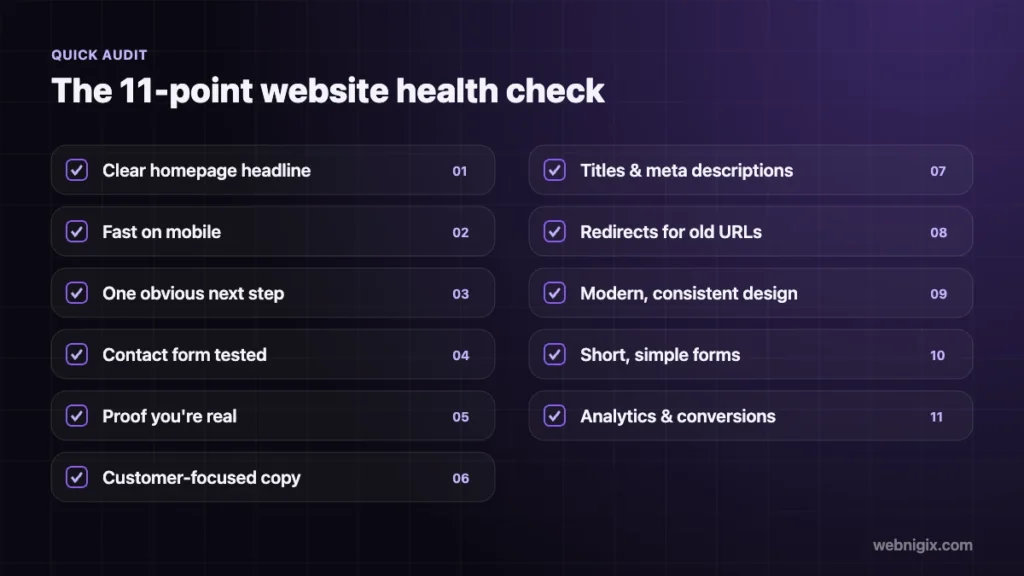
Here are the 11 we’d check first.
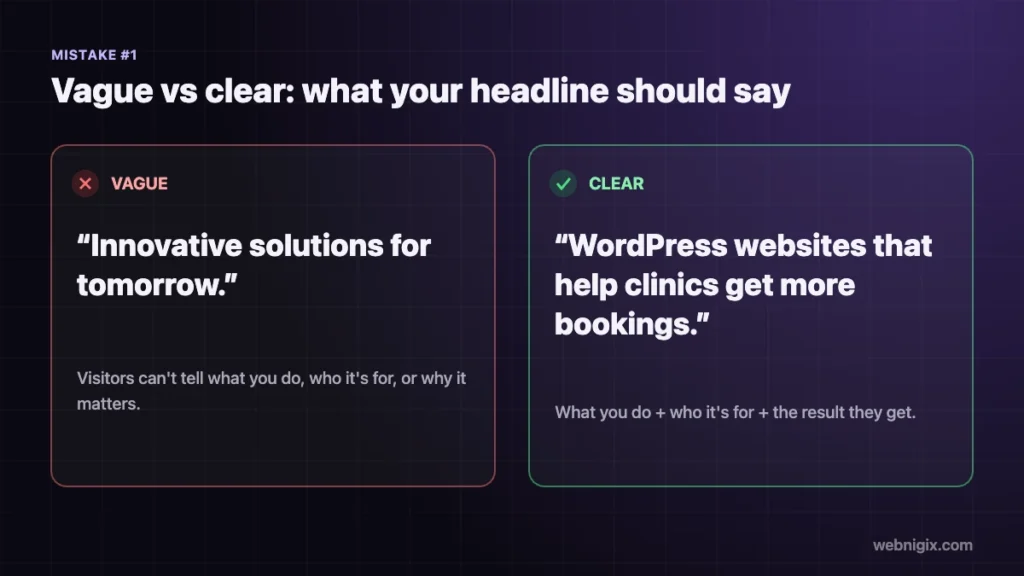
1. Your homepage doesn’t say what you do
“Innovative solutions for tomorrow” sounds polished and tells a visitor nothing. If someone can’t tell what you offer, who it’s for and why it’s better within a few seconds, they’ll go back to Google and click the next result.
Fix: Rewrite your main headline in plain words: what you do + who it’s for + the result they get. Save the clever lines for later on the page.
2. It’s slow on a phone
Most of your visitors are probably on mobile, often on a patchy connection. Huge uncompressed images, too many plugins and heavy sliders turn a homepage into a waiting room.
Fix: Run your homepage through Google PageSpeed Insights. Compress images (WebP is your friend), remove plugins you don’t use, enable caching, and drop autoplay sliders.
3. There’s no clear next step
Visitors who are interested still need to be told what to do. If your “Contact” link is buried in the footer, many won’t look for it.
Fix: Pick one primary action (book a call, request a quote, shop now) and repeat it in the header, after key sections, and at the end of every page.
4. Your contact form is broken (and you don’t know it)
This one is painfully common. A plugin update, a hosting change or a misconfigured email setting, and form submissions silently stop arriving. Every lead in that period is gone.
Fix: Send a test submission every month. Use a proper SMTP setup so emails are actually delivered, and consider storing submissions in the database as a backup.
5. Nothing proves you’re real
New visitors are asking themselves one question: can I trust these people? A site with no portfolio, no testimonials, no team and no address makes that hard to answer.
Fix: Show real work, real client feedback, a real person behind the business, and real contact details. Specific beats impressive.
6. Every page is about you, not the customer
“We are passionate. We are experienced. We are committed.” Visitors care about their problem, not your adjectives.
Fix: For every “we” sentence, ask “so what does the customer get?” and rewrite it around that answer.
7. Your pages are invisible to Google
Default titles like “Home – My Site”, missing meta descriptions, and service pages that never mention the words people actually search for. Google can’t rank what it can’t understand.
Fix: Give every important page a unique, descriptive title and meta description, one clear H1, and content that answers the questions your customers type into search.
8. Old pages lead to dead ends
You redesigned, renamed or deleted pages, but Google, old social posts and other websites still link to the old addresses. Visitors land on a 404 and leave.
Fix: Set up 301 redirects from every old URL to its closest new equivalent. A free plugin like Redirection makes this a ten-minute job.
9. The design looks five years old
Fair or not, people judge credibility by appearance. Cramped text, clashing fonts and stock photos of handshakes signal “this business might not be around anymore.”
Fix: You don’t always need a full rebuild. A refreshed type scale, more white space, consistent colors and real photography can transform how trustworthy a site feels.
10. Forms ask for too much
Every extra required field is a small reason to give up. Asking for a phone number, company size, budget and life story before a first conversation can kill a lead.
Fix: Ask only for what you need to reply well. Make everything else optional.
11. Nobody is measuring anything
If you don’t know how many people visit, where they come from and what they do, every decision about your website is a guess.
Fix: Connect Google Analytics and Google Search Console, and track your key actions (form submissions, calls, purchases) as conversions. Review them monthly.
The bottom line
A website rarely needs to be perfect. It needs to be clear, fast, trustworthy and easy to act on. Fix the mistakes above and you’ll often see more enquiries from the same traffic you already have.
Not sure which of these is hurting your site? Our website design and conversion team can review it with you, or start a conversation and tell us what isn’t working.
Need help with your website? Talk with Webnigix about your project.